You’ve seen the prompt: "Set up two-step login". You click it out of annoyance, enter your phone number, wait for the code, and then forget about it. But here’s the truth - skipping this step isn’t just lazy, it’s dangerous. And no, you’re not being targeted because you’re important. You’re being targeted because you’re easy. Every day, millions of accounts get hacked not because someone cracked a password, but because they didn’t have to. A single weak password is all it takes. And if you’re using the same one for email, banking, or social media? You’re already compromised. You might think, "I don’t have anything valuable." But your email holds your recovery codes, your bank’s password reset link, and your social profiles. One breach unlocks the rest. It’s not paranoia - it’s math. And yes, even if you’re not a celebrity or a CEO, you’re still a target. Criminals don’t care who you are. They just want access. And if you’re not using two-step login, you’re handing them the keys.
Some people still believe the old myth: "I’m safe because I use a strong password." That’s like locking your front door but leaving the window wide open. Strong passwords matter, but they’re not enough. In 2024, over 80% of data breaches involved stolen or weak passwords, according to Verizon’s Data Breach Investigations Report. Two-step login doesn’t replace your password - it adds a second lock. Even if someone guesses your password - maybe from a leaked database, a phishing site, or a reused credential - they still can’t get in without the second factor. That second factor could be a code from your phone, a fingerprint, or a security key. It’s not magic. It’s just harder.
Let’s talk about real-world examples. In early 2025, a small business owner in Ottawa lost $12,000 because a hacker got into her PayPal account. She used the same password for her email and her bank. The hacker found it on a dark web forum. No fancy tools. No hacking skills. Just a list of 10 million leaked passwords and a few minutes. She didn’t have two-step login turned on. She didn’t even know it existed. If she had, the hacker would’ve been locked out after the first attempt. That’s the difference between a lock and a vault.
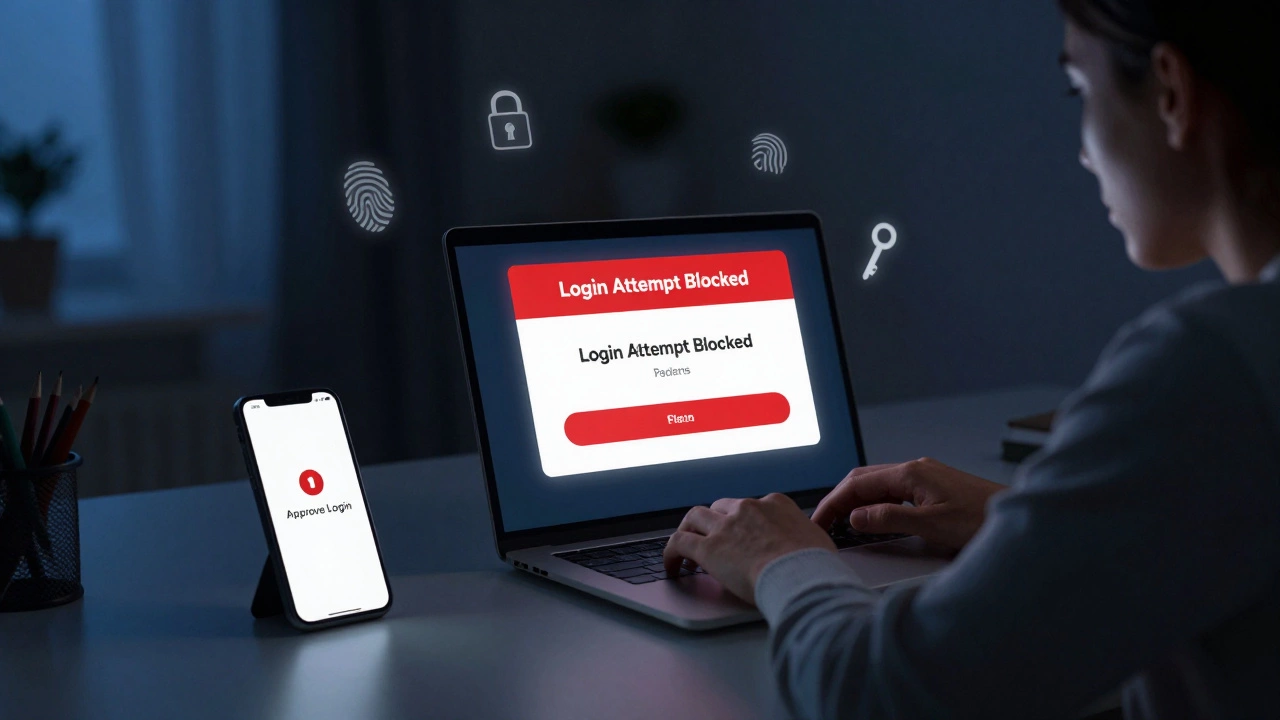
Two-step login isn’t just for banks or tech companies. It’s for your Netflix account, your Google Drive, your Apple ID, even your fitness tracker. If it’s online and you log in, it needs two-step. And yes, it’s a tiny bit more annoying the first time you set it up. But after that? It’s invisible. You get a push notification on your phone. You tap "Approve." Done. No typing codes. No waiting. It just works. And you never think about it again - until someone tries to break in. Then you’re glad you did.
Some people say, "What if I lose my phone?" Good question. That’s why you set up backup options. Google and Apple let you add a second phone, a security key, or even a printed backup code you keep in your wallet. You don’t need to rely on just one thing. And if you’re really worried, you can use an authenticator app like Google Authenticator or Authy. These apps work offline. No internet? No problem. You still get your code. And if you ever get locked out? Most services have a recovery process. It’s not instant, but it’s way better than losing everything.
Here’s the uncomfortable truth: if you’re not using two-step login, you’re part of the problem. Hackers scan for accounts without it. They prioritize them. They know you’re easier to crack. And they’re not wrong. In 2025, a study by Microsoft found that users with two-step login enabled were 99.9% less likely to be compromised than those without it. That’s not a small number. That’s almost total protection. You’re not just protecting yourself. You’re protecting your friends, your family, your employer. If your email gets hacked and sends phishing emails to your contacts, you’re the reason they got scammed.
Setting it up takes five minutes. On iPhone? Go to Settings > Apple ID > Password & Security > Two-Factor Authentication. On Android? Open Google Settings > Security > 2-Step Verification. For Gmail, Facebook, or Instagram? Just go to your security settings and look for "two-step" or "two-factor." Most services have it right there. No downloads. No apps. Just a few taps. And if you’re really stuck, your phone’s built-in help feature will walk you through it. You don’t need to be tech-savvy. You just need to care enough to do it.
There’s a strange irony here. People will spend hours researching the best Thai escort Dubai service, comparing prices, reading reviews, and still won’t spend five minutes securing their digital life. That’s not about priorities. That’s about perception. We think physical risks are real. Digital ones feel abstract. But the damage is just as real. Your photos, your messages, your financial info - all gone in seconds. And once it’s out there? It’s never really gone.
Two-step login isn’t a feature. It’s a baseline. Like wearing a seatbelt. Like brushing your teeth. Like locking your door at night. If you skip it, you’re not being clever. You’re being careless. And in a world where every app, every device, every service connects to your identity - that carelessness has consequences.
So do it. Right now. Open your phone. Go to your most-used account - email, Facebook, Apple, Google. Find the security settings. Turn on two-step login. Do it before you close this tab. Don’t wait. Don’t think about it. Just do it. Your future self will thank you.